The floor plan is the operating picture—not a static PDF. Draw it once, assign it to events, then book, move, SMS, check in, and re-sell on the same layout.
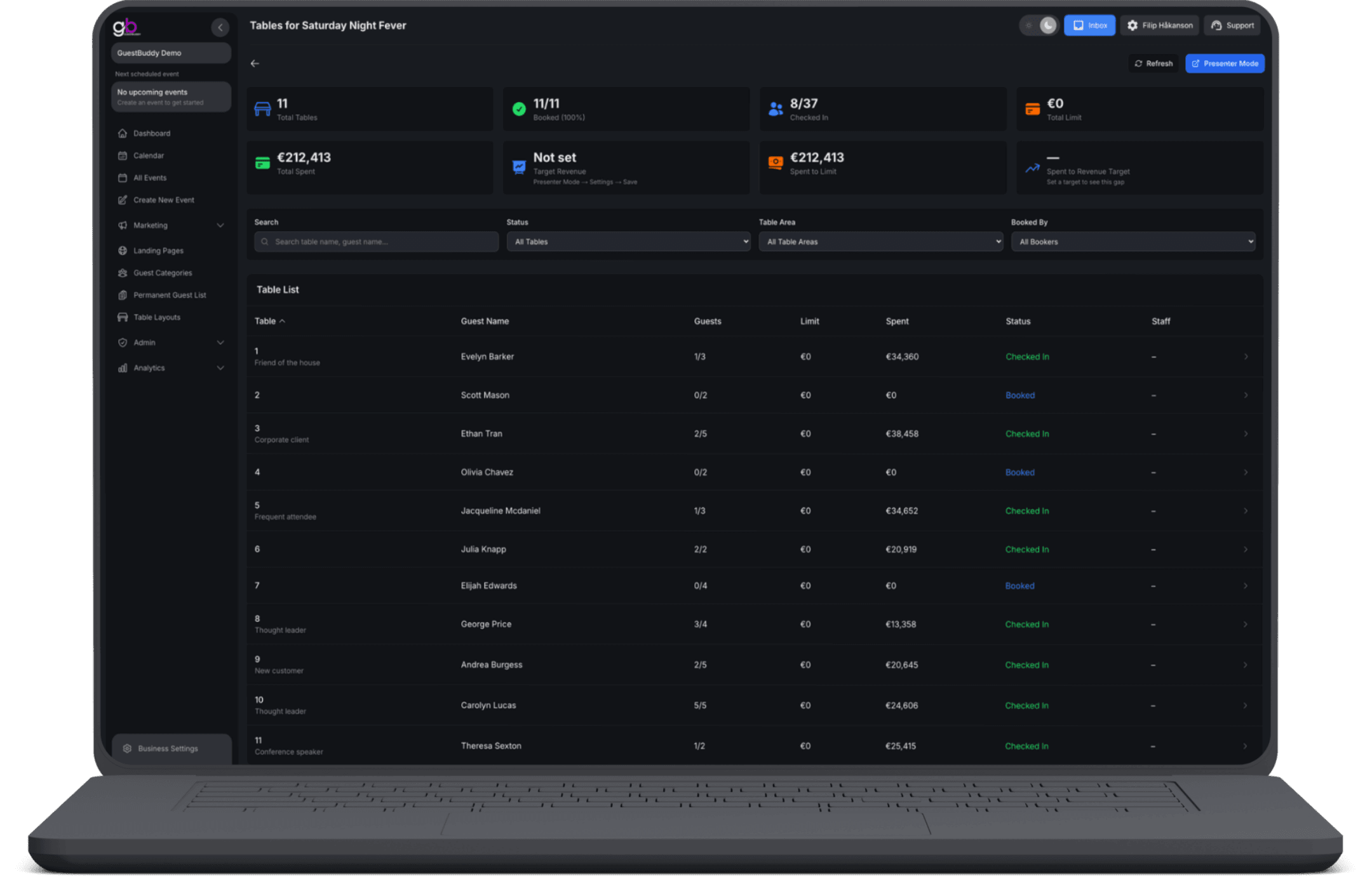
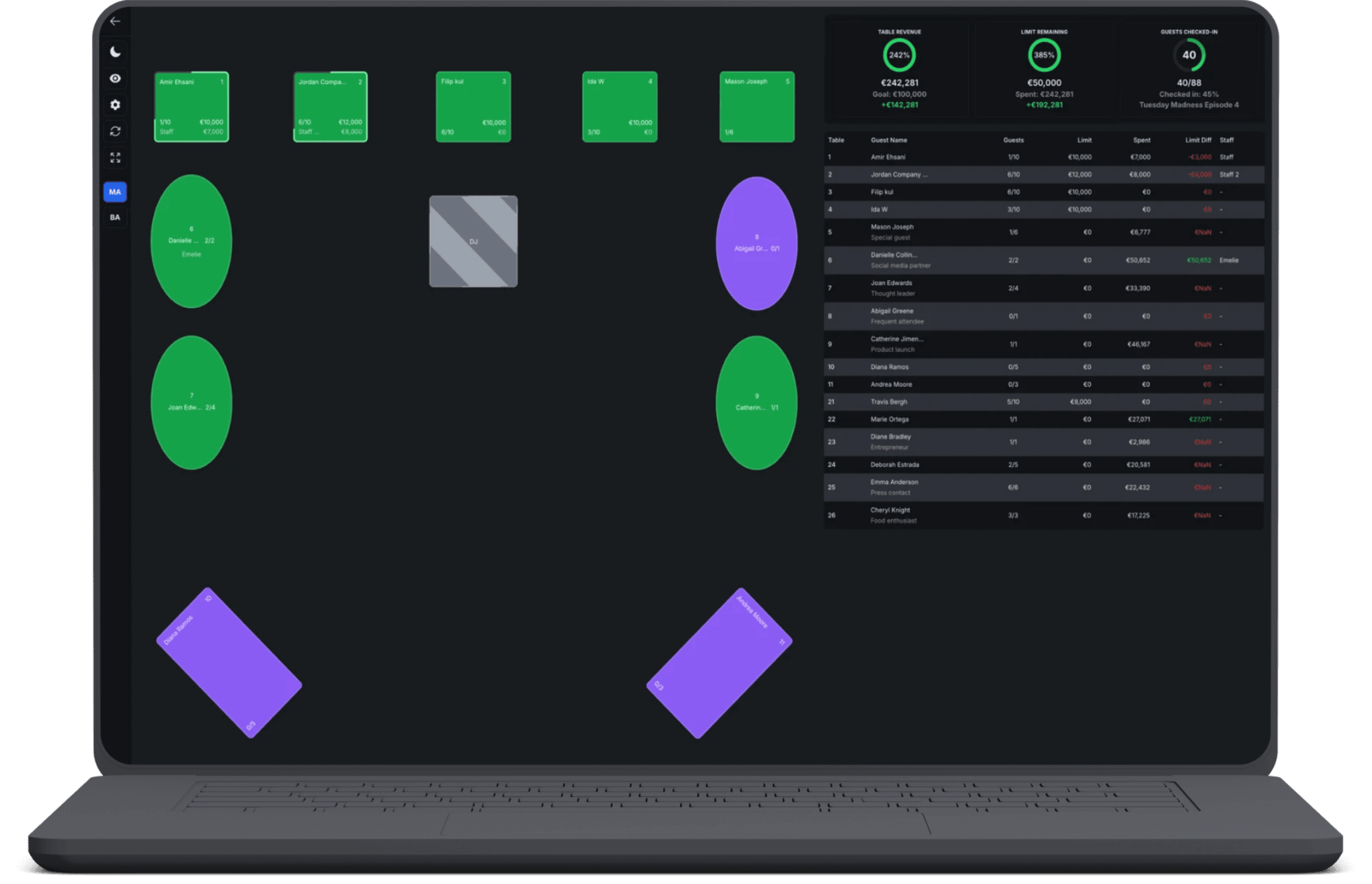
Create a named layout with round and square tables, plus objects for stage, bar, or DJ booth. Place a floor-plan image behind the canvas, zoom, and drag items into place. Attach one or more layouts to an event, then open Tables to see booked, available, blocked, and checked-in counts—plus spend against the table limit and the revenue target. Book with guest name, email, phone, party size, staff, and spend limit; send SMS on booking plus confirmation and reminder before the event; move, block, cancel, mark a no-show, or put a table back on sale. Presenter mode shows the same floor for the person running the room, with the revenue target in view.
Real-time data
Table status, party details, and spend update live between the Business Portal and the app—hosts and back office always read the same numbers.
Draw your own floor plan
Build layouts once with tables and room objects, then reuse them across events so every booking lands on the plan that matches your venue.
Track the limit and spend
See spend against the table limit and the revenue target as the event unfolds—finance and the floor share the same ledger.
Booking data for the table
Capture guest name, email, phone, party size, staff, and spend limit so handoffs between shifts stay clean.
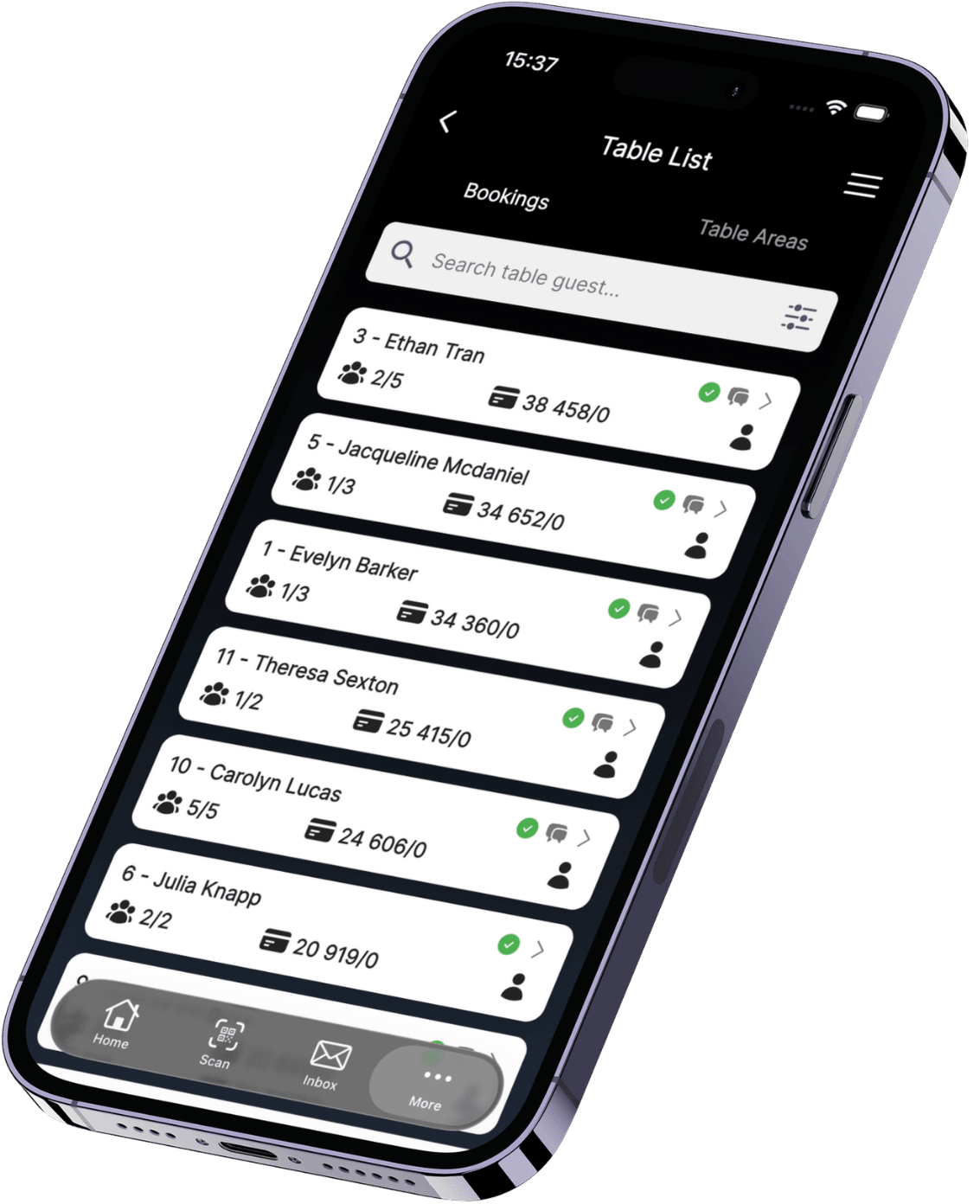
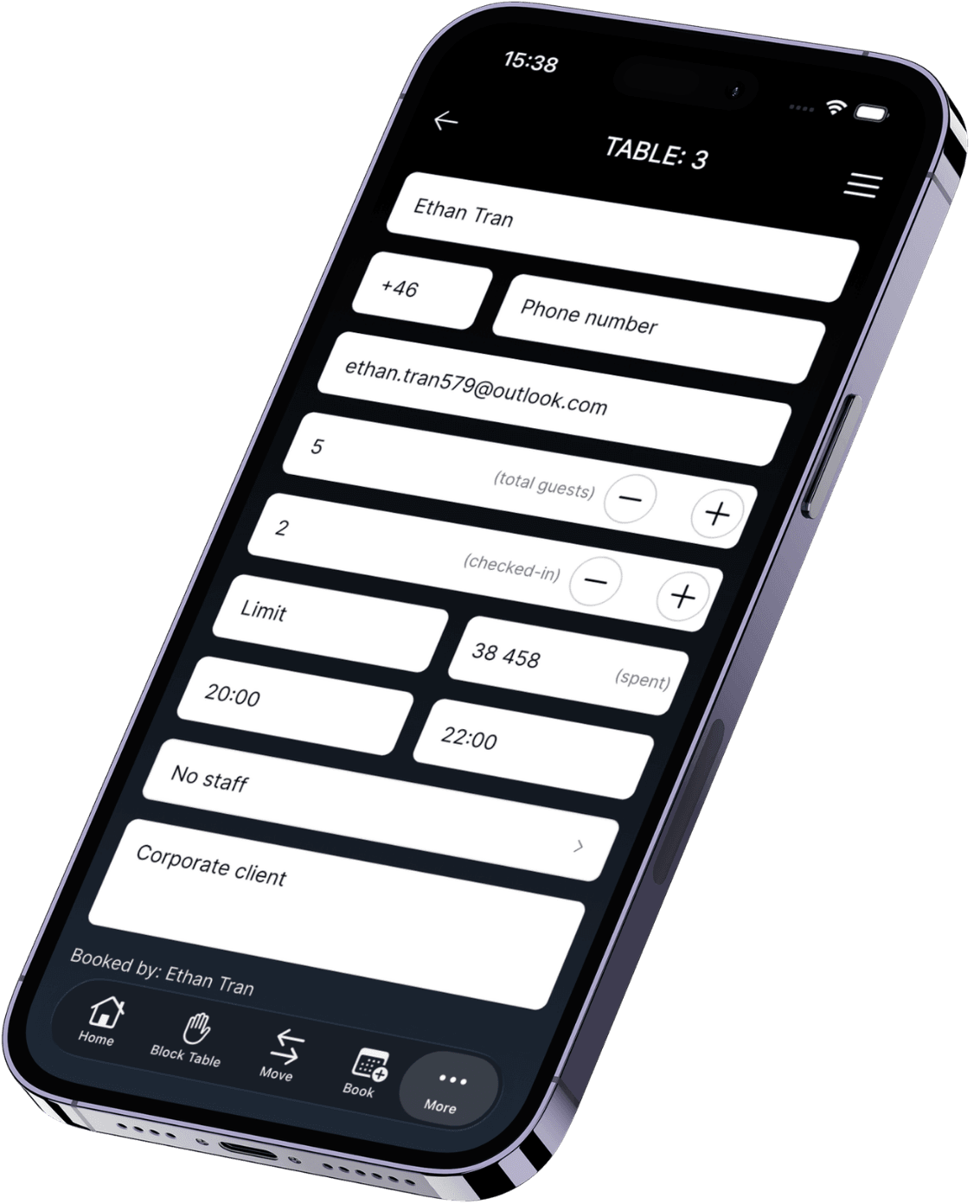
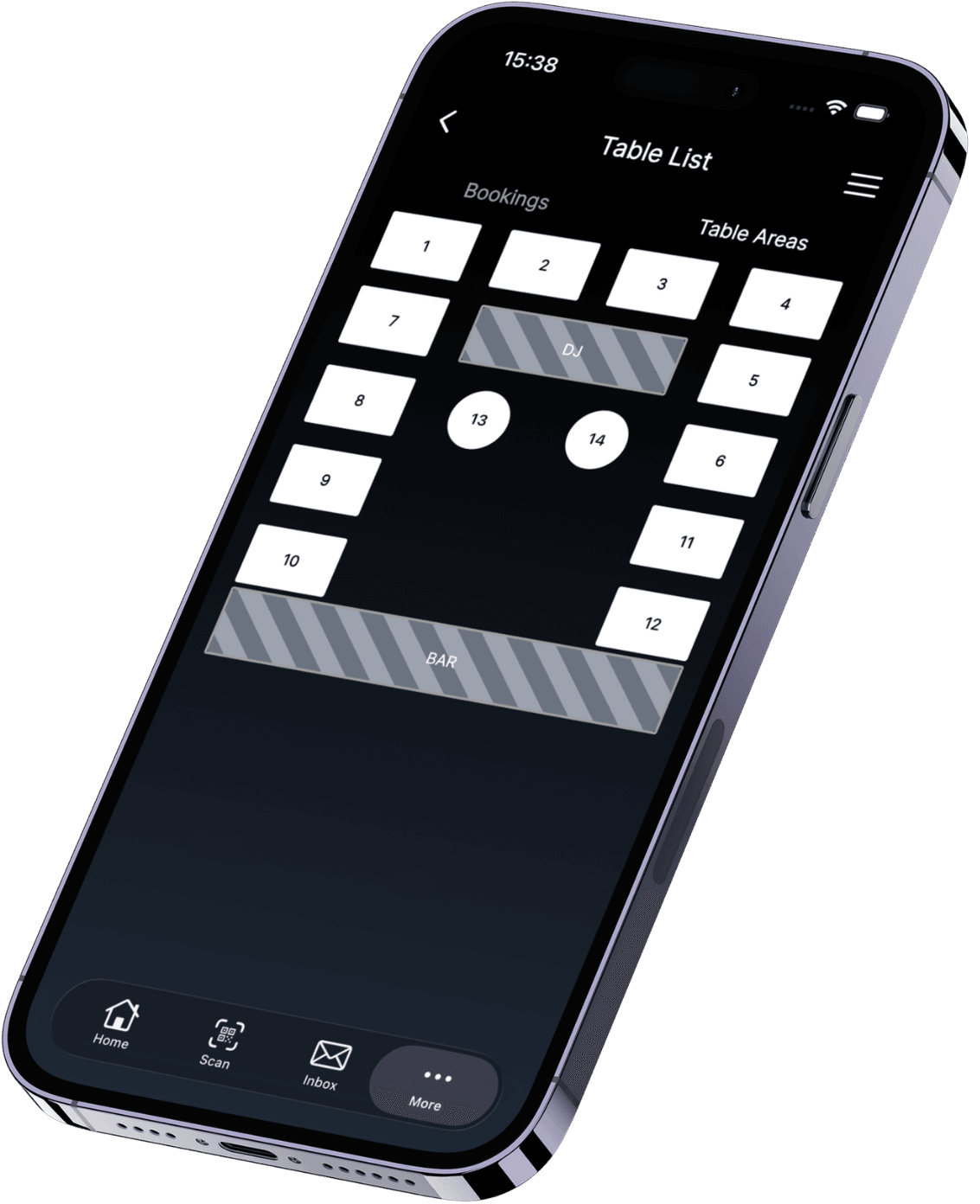
The app is for the team on the floor. Open the live table list for the event: see who is on which table, party size, notes, and timing; add walk-ins; update status as guests arrive; and keep the record accurate without printing lists. Guests can send a table request from their phone—when staff confirm or change a booking, the same record updates everywhere. Portal, Presenter mode, and every handset read and write the same live data.


Presenter mode
The same floor, built for running the room during the event—big-screen view with booking status and the revenue target in sight.
Booking & reminder SMS
Send an SMS when the table is booked, plus confirmation and reminder before the event, so guests get clear, on-brand messages.
Move, block, re-sell
Update a booking, move it, block or unblock a table, cancel it, mark a no-show, or put it back on sale—all on the same layout.
Booked vs showed up
After the event, see which tables were booked but empty, who sold the most, and who spent the most—not only what was reserved on paper.
Revenue and goals
Follow pacing against the targets you set for the event, with the same signals your team watches in Presenter mode.
Yes. Name a layout and add round or square tables, plus objects for things that are not tables—stage, bar, DJ booth. Name items, rotate square ones, copy or delete, place a floor-plan image behind the canvas, zoom, and drag everything into place.
No. Draw the room once for the venue, then attach one or more layouts when you create or edit an event. The same plan can run across many dates without rebuilding from scratch.
Presenter mode is the same floor plan, built for the person running the room during the event. It shows table status and the revenue target on a clear view so the floor team works from one shared picture—not a static PDF or a private spreadsheet.
Book a table with guest details, party size, staff, and spend limit. Send an SMS when it is booked, plus confirmation and reminder before the event. During the event you can move bookings, block tables, mark no-shows, check tables in, or put a table back on sale—all on the same layout.
Table service analytics cover revenue, how many tables were booked, how many guests sat, whether booked tables actually showed up, top-selling staff, and the highest spenders—so you see who sold, who spent, and which tables stayed empty.
Get started with GuestBuddy today and discover seamless event management with powerful, efficient tools.