




Sell more, with less manual work
Tickets, tables, guest lists, and campaigns live in one system. Fewer spreadsheets and WhatsApp threads means fewer mistakes—and more time to focus on a packed room.
One platform for programming, sales, and the night itself—from the browser at the office to the app in your pocket on the floor.
Venues and event organizers use GuestBuddy in two places: the Business Portal on the web for setup and control, and the GuestBuddy app on iOS and Android for guests—and for your staff when it is showtime. Below is the same product story we show on the homepage, with the screens your team actually works in every week.
Does it sound hard or complicated to switch over to GuestBuddy? It is really simple and easy—you can be ready to create your first event in less than five minutes, then grow your venue or events, earn more revenue, and get clear insights on top of that.
Go to our portal to start creating your business account. It takes less than five minutes to get your venue or events ready so you can create your first event.
Select venue or event organizer depending on whether you are an event organizer or a venue owner.
Fill in your venue or event information so you are easy to find, guests can see what your place or events look like, and they know how to contact you.
Fill in your personal details for whoever should be able to access the business account you are creating. You can add more users to the account afterwards.
Select the best plan for your venue or events you are managing. Starter, Pro, or Enterprise—monthly or yearly.
You can start creating your first event with ticket sales, guest lists, VIP table bookings, and much more—all from the portal & app when you are ready.
GuestBuddy is built by people who have worked in the industry for more than 16 years. It should be easy to understand how it works, and how it can help you sell more and operate with less chaos.
Tickets, tables, guest lists, and campaigns live in one system. Fewer spreadsheets and WhatsApp threads means fewer mistakes—and more time to focus on a packed room.
Dashboards and analytics update as guests move from list to door to floor. You always know who is in, who paid, and where capacity still exists.
When check-in, tables, and tickets are smooth, lines move faster and staff stay calmer. Happy guests come back—and tell their friends.
Your venue or events show up where guests already browse in GuestBuddy—not only the people who already follow you elsewhere. You get more exposure and a wider audience to invite in, while you still control how you sell and who gets through the door.
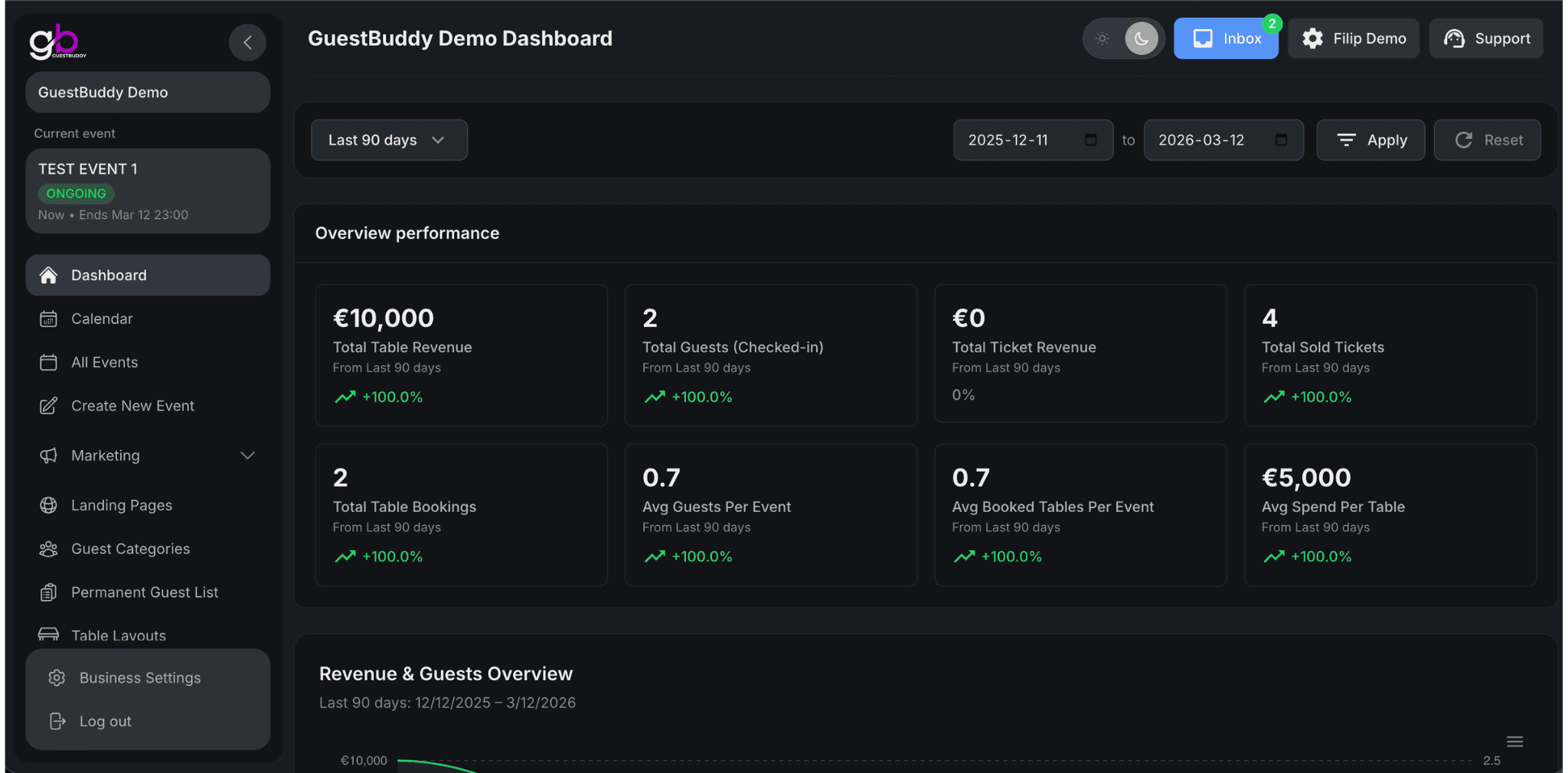
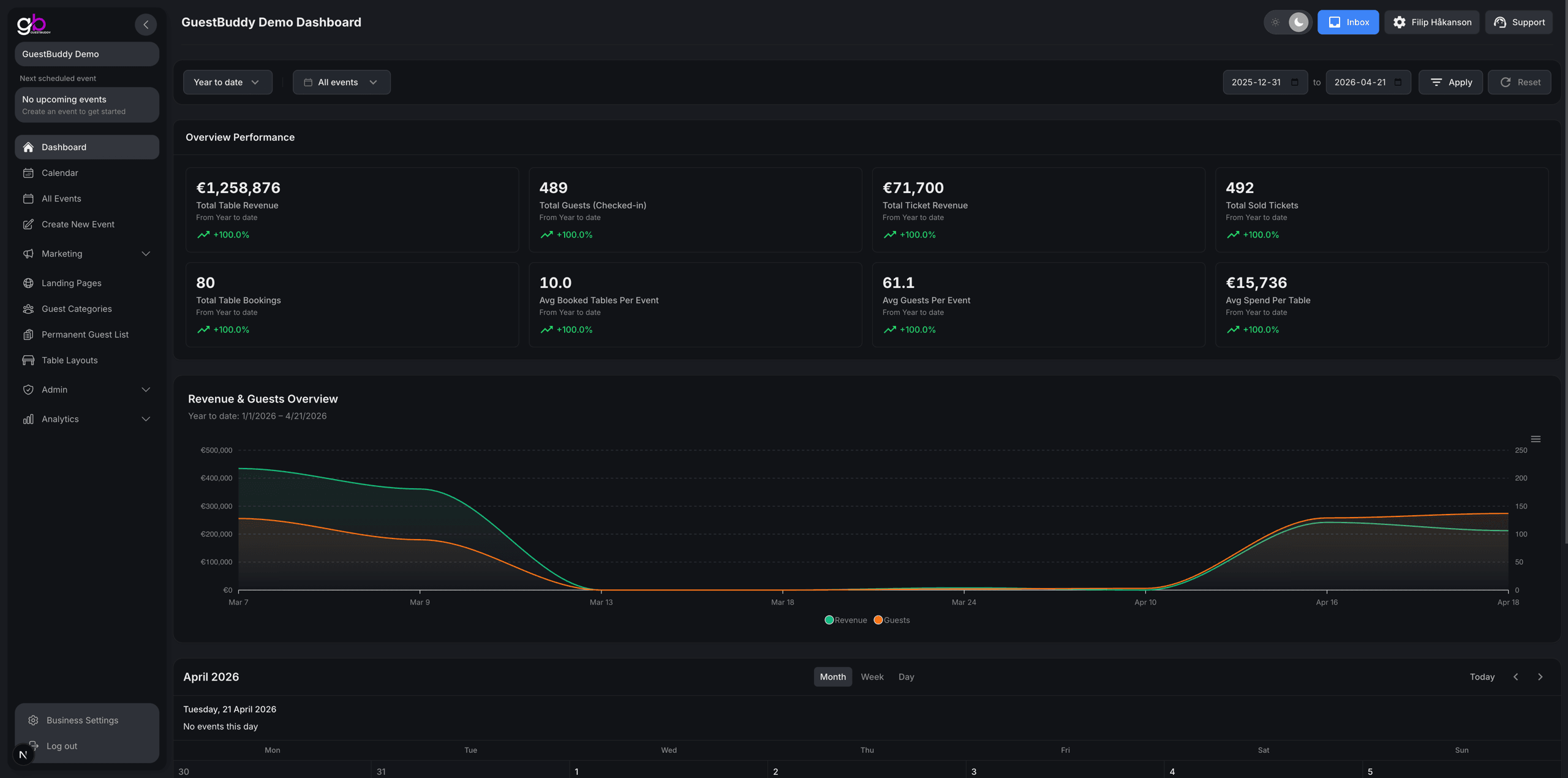
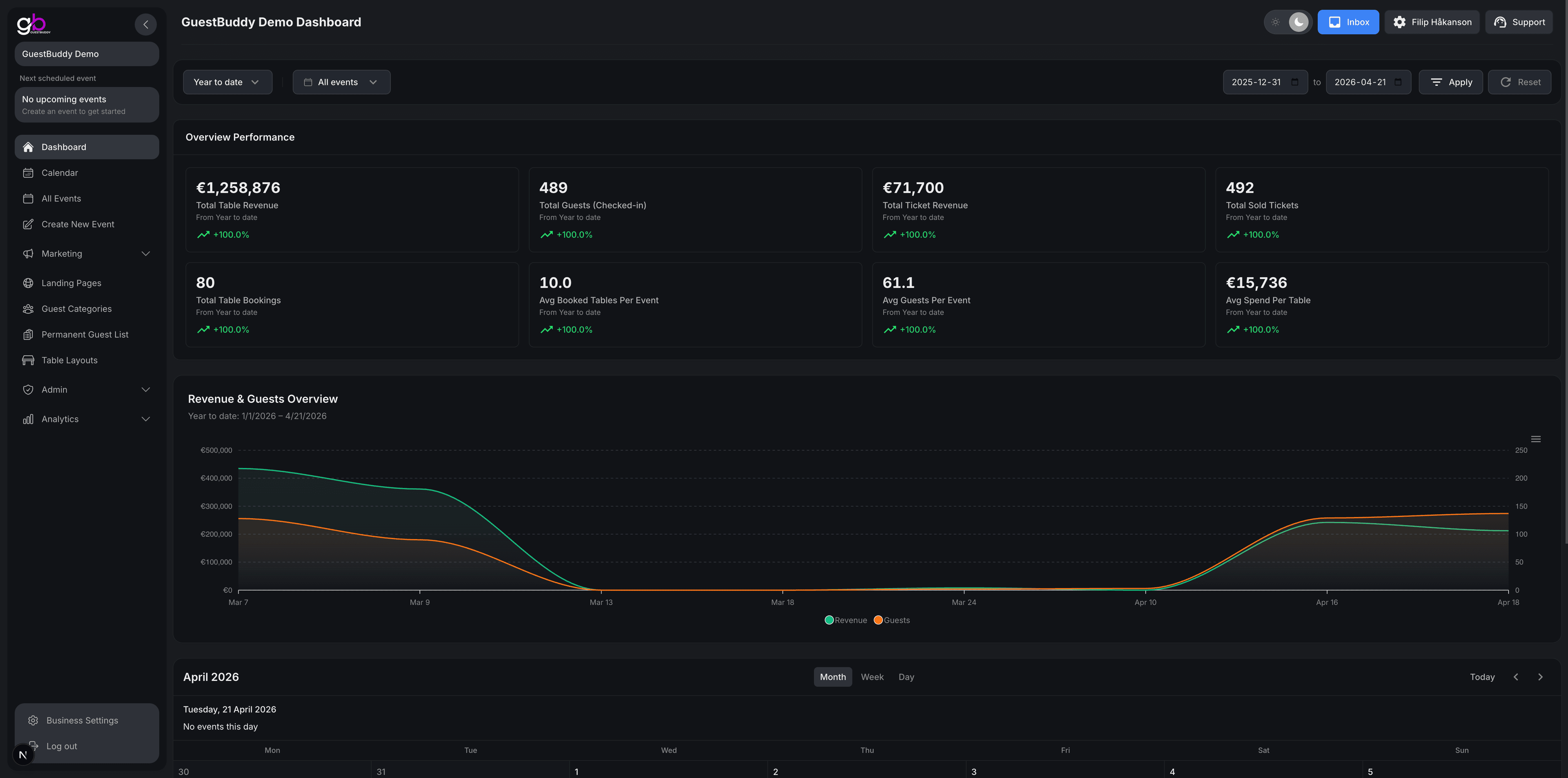
The portal home screen is built around your dashboard: headline numbers, graphs so you can spot trends quickly, and a calendar of what is coming up—so performance and your schedule sit in the same view. It is the first place managers look when they want the pulse of the week without digging through menus.
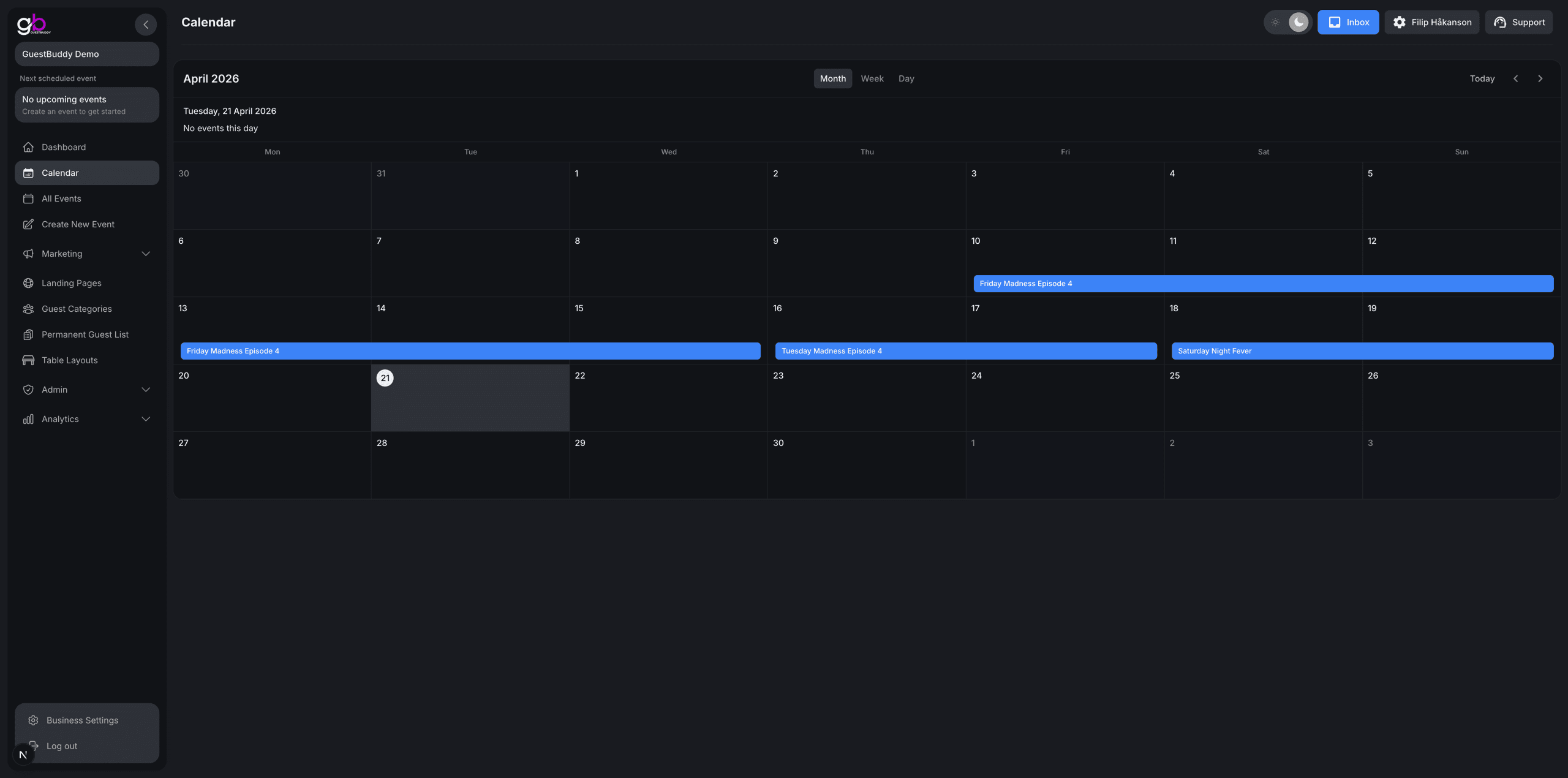
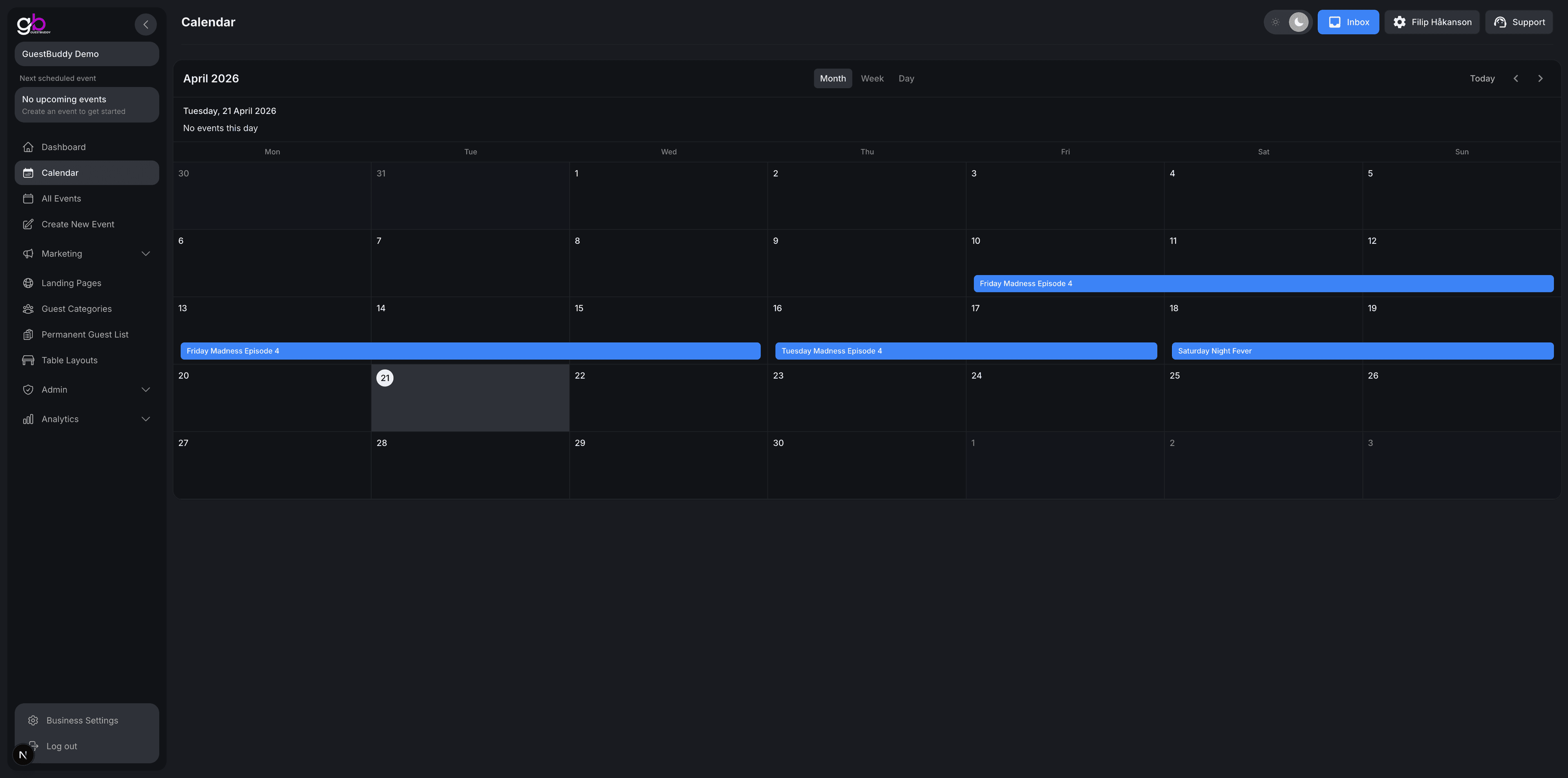
The calendar page is where owners and staff see how the month, week, or day is shaping up—all your events in one place. Switch views to scan what is on, spot gaps, and keep upcoming nights in view so the whole team shares the same picture of the schedule.
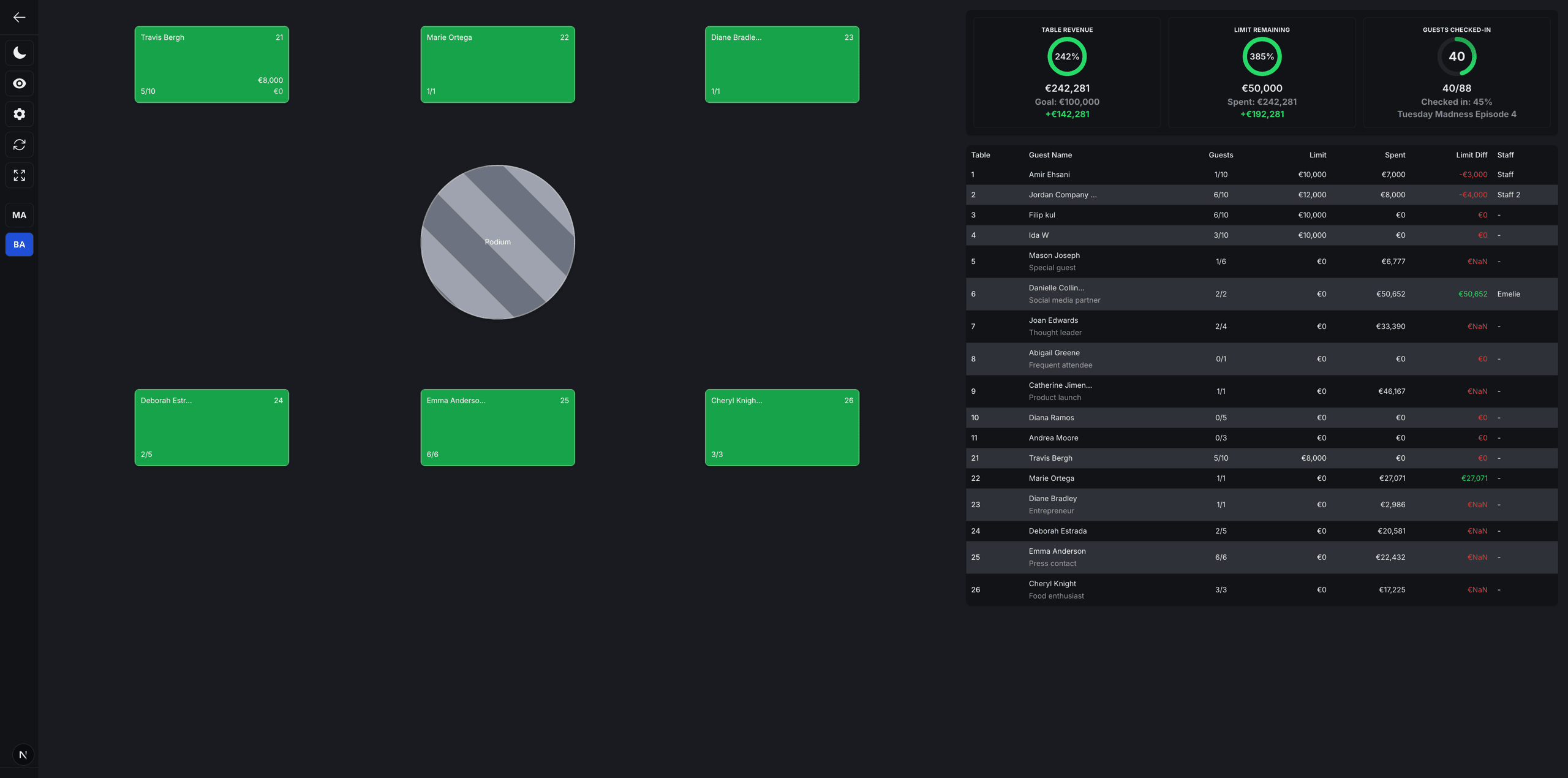
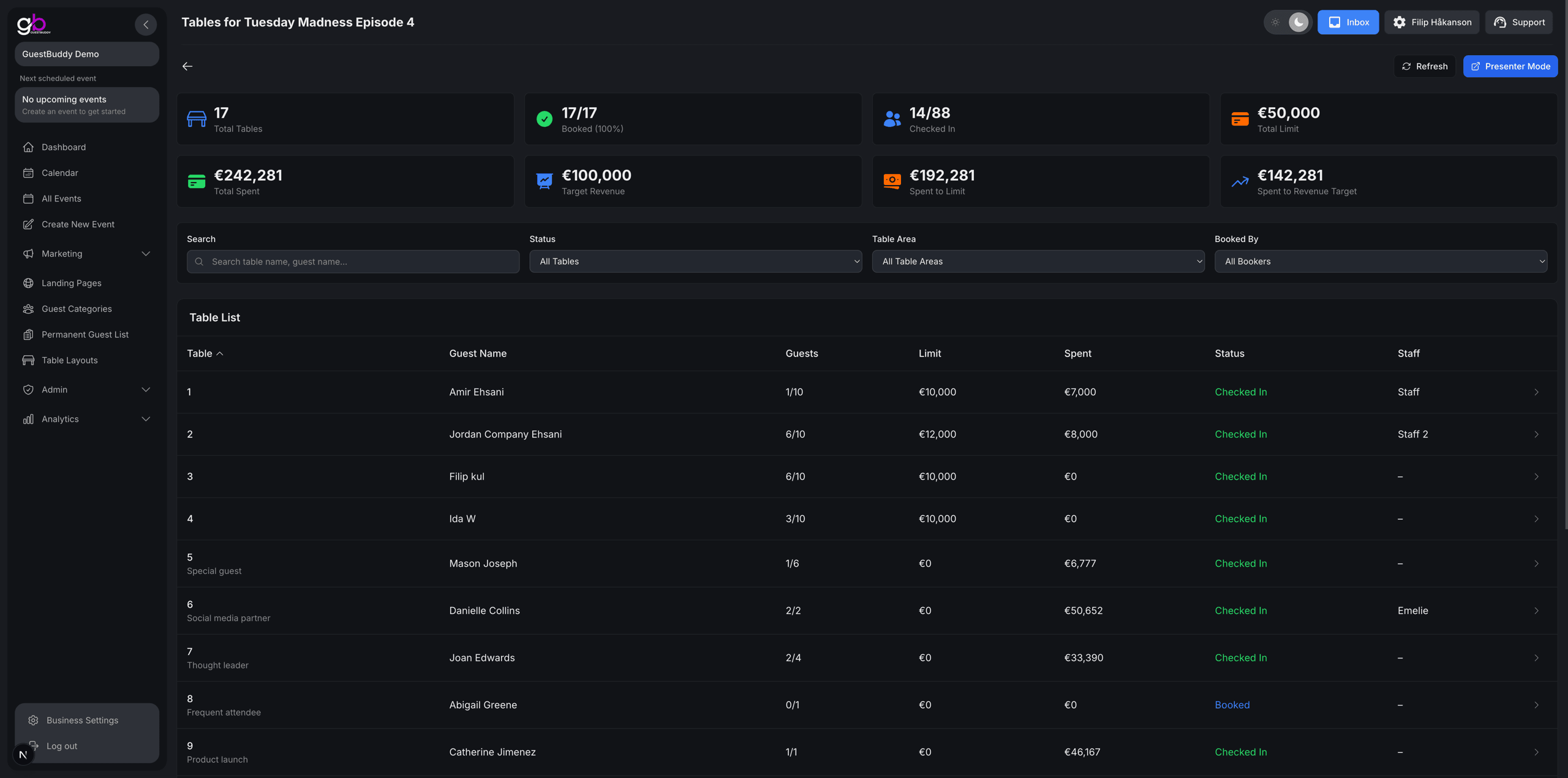
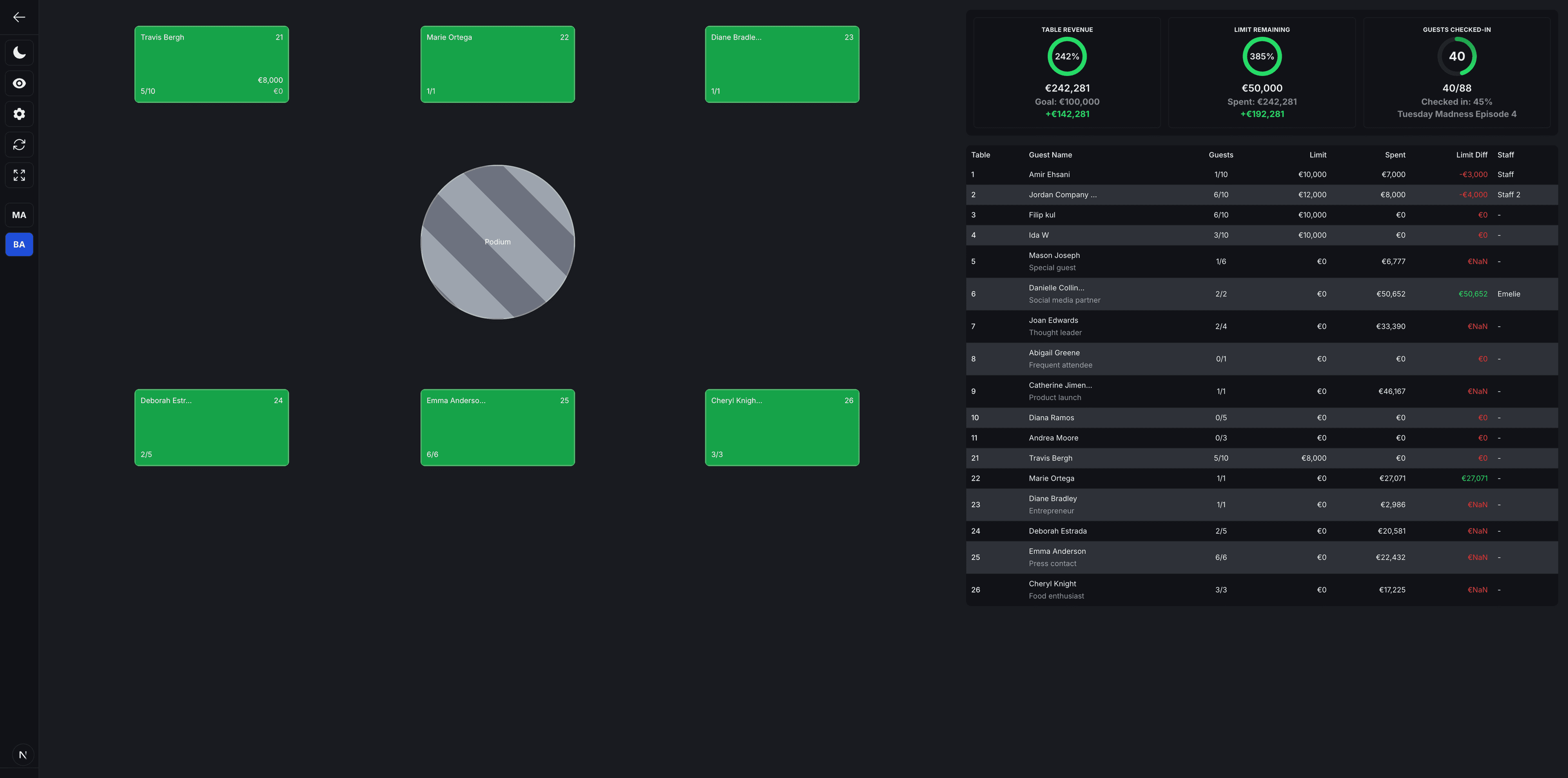
Presenter mode is the work screen table staff use during the event: a clear view of table areas, who is responsible for each table, who booked it, and how much they have spent so far. You also see each table's minimum spend, the night's revenue goal, and live counts of guests and tables checked in—so the floor team runs the room from one big, easy-to-read view.
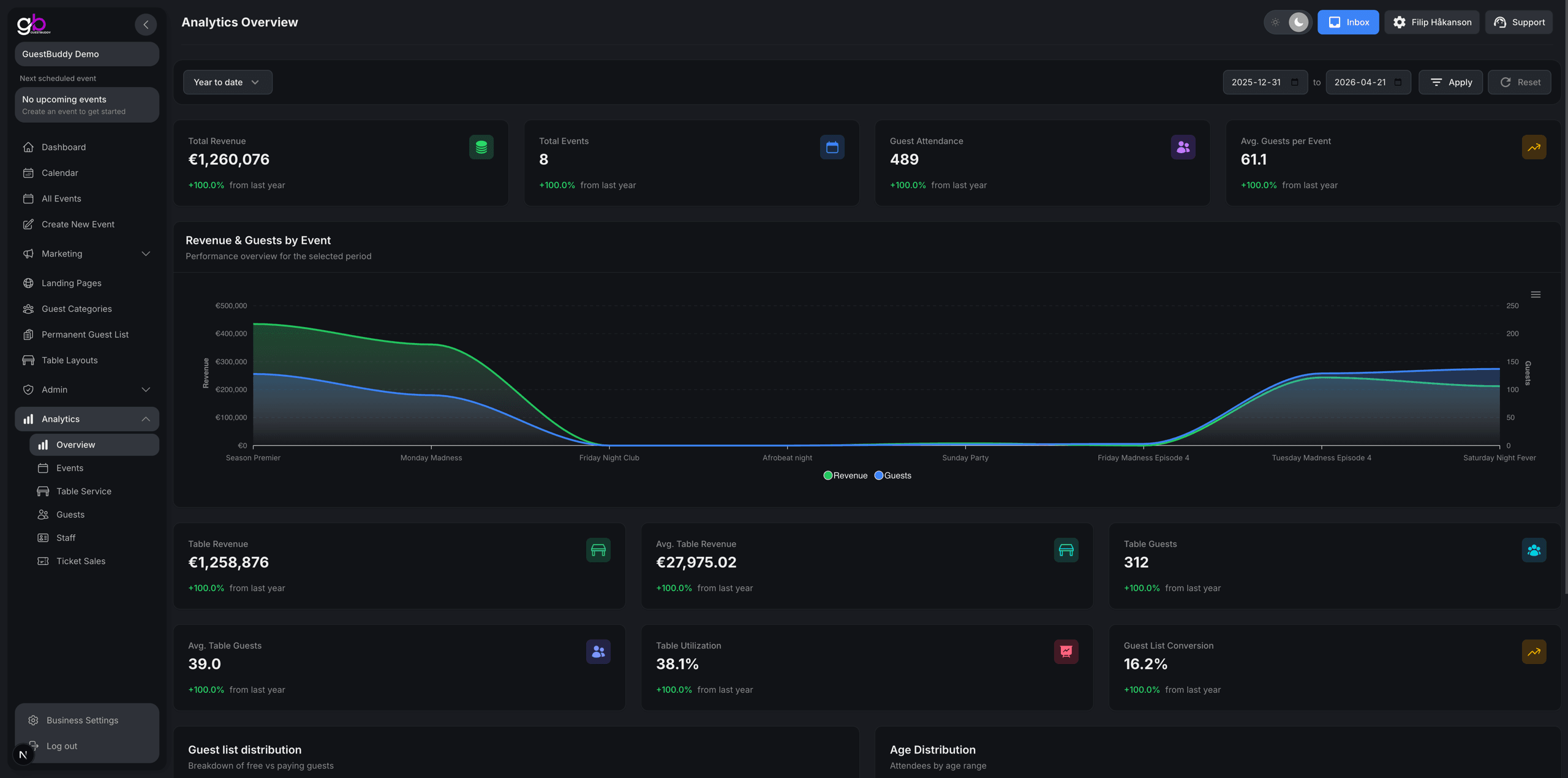
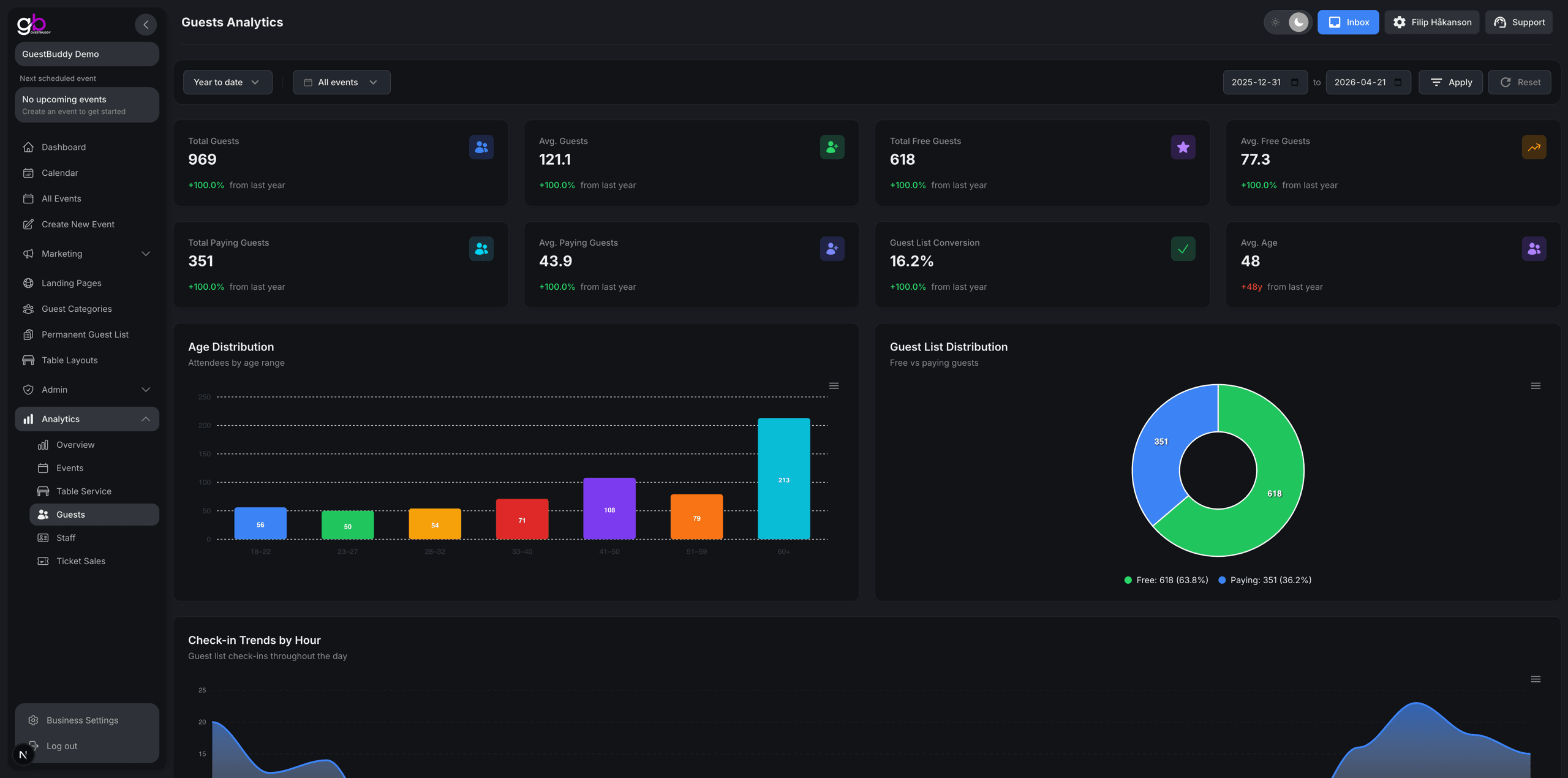
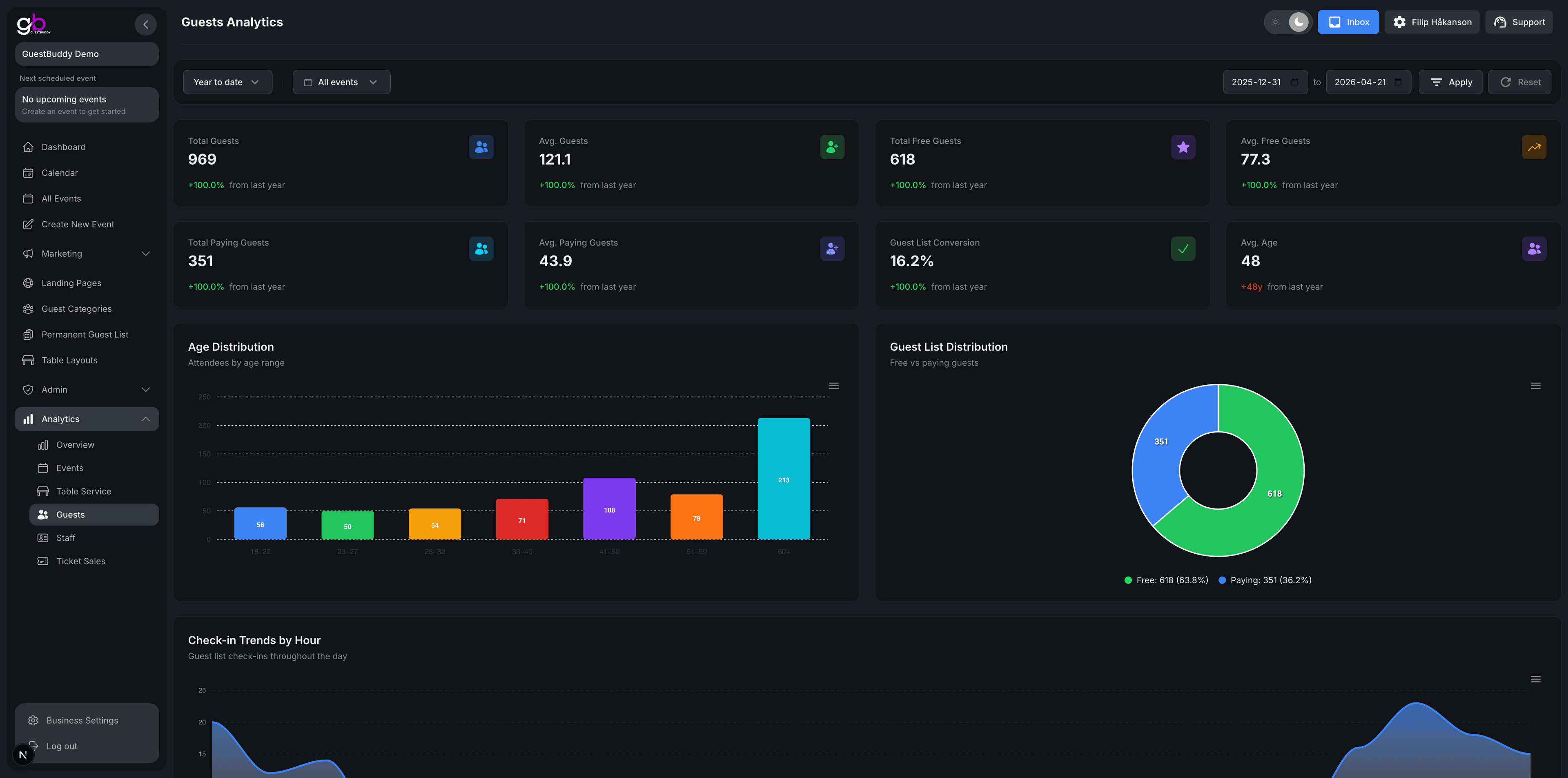
The guest analytics view is where past events turn into real data: total and average guests, free versus paying entry, age mix, guest-list conversion, arrival trends so you see when people actually show up, and more. Owners and managers use it to read how the crowd behaved over time—not only what happened on one night.
Get started with GuestBuddy today and discover seamless event management with powerful, efficient tools.