Start with one overview, then go into the event, the ticket, the table, or the person—filter by date range or a single event, and ask Buddy AI in plain language when you do not want to build the report by hand.
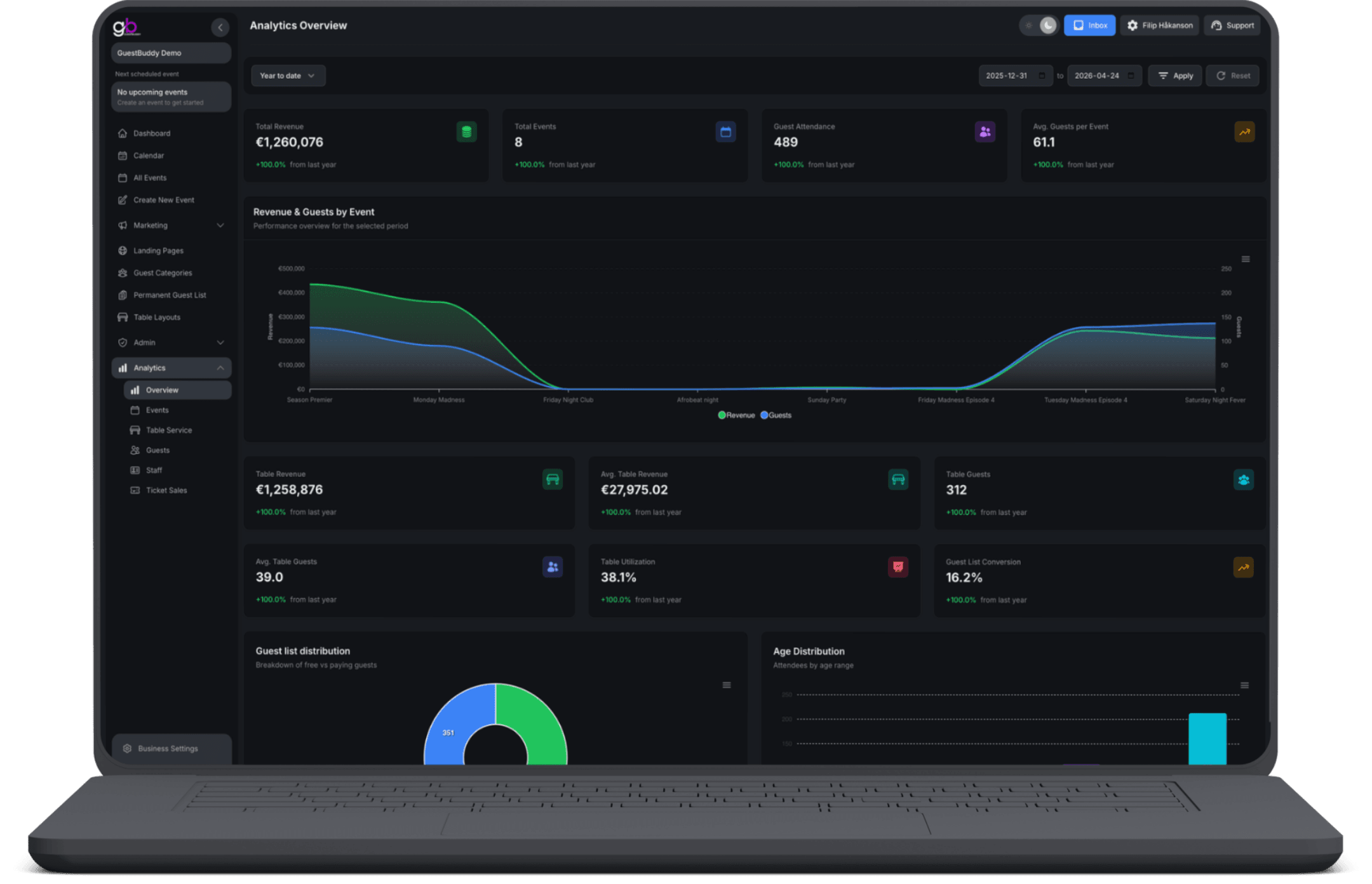
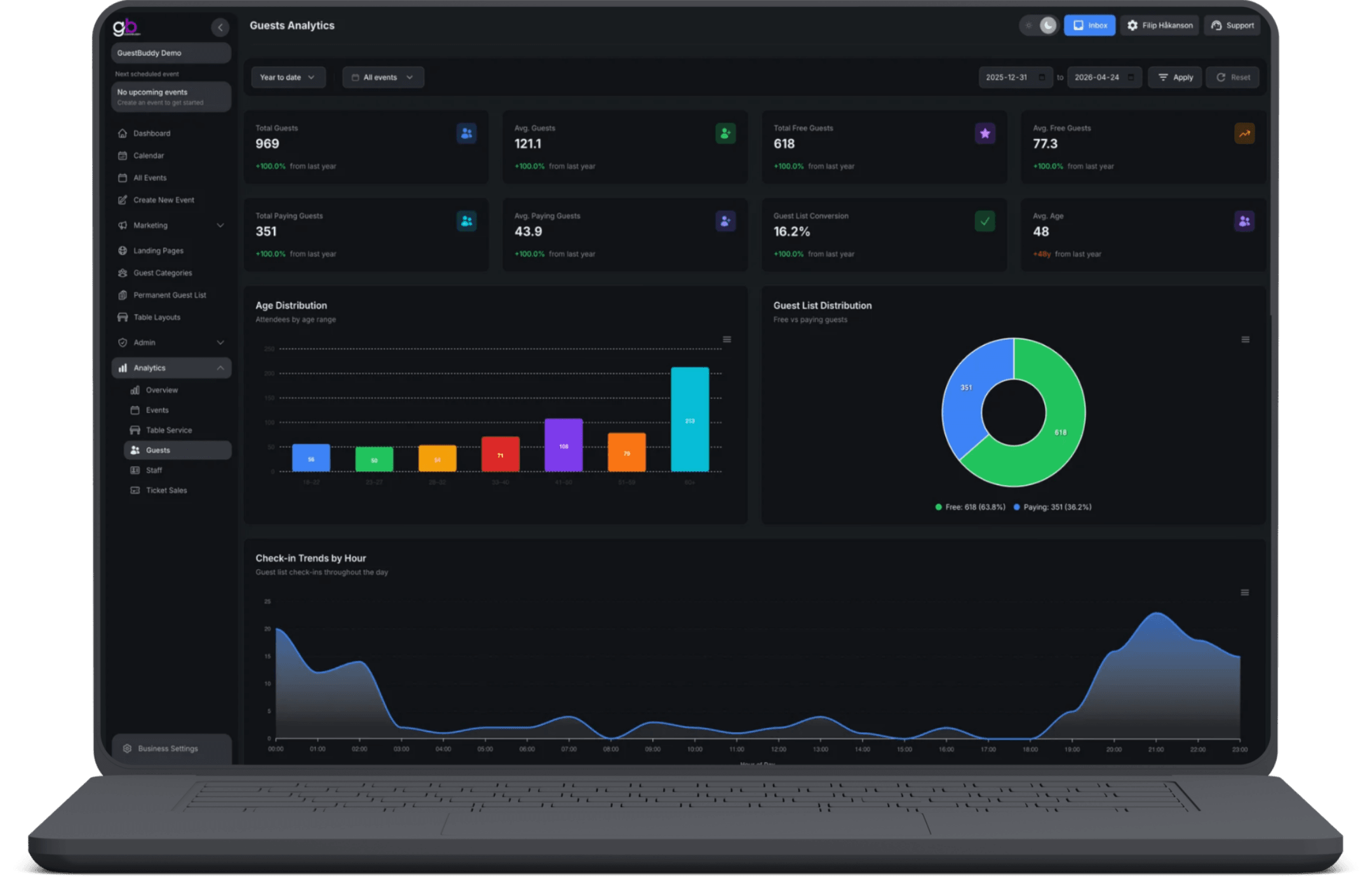
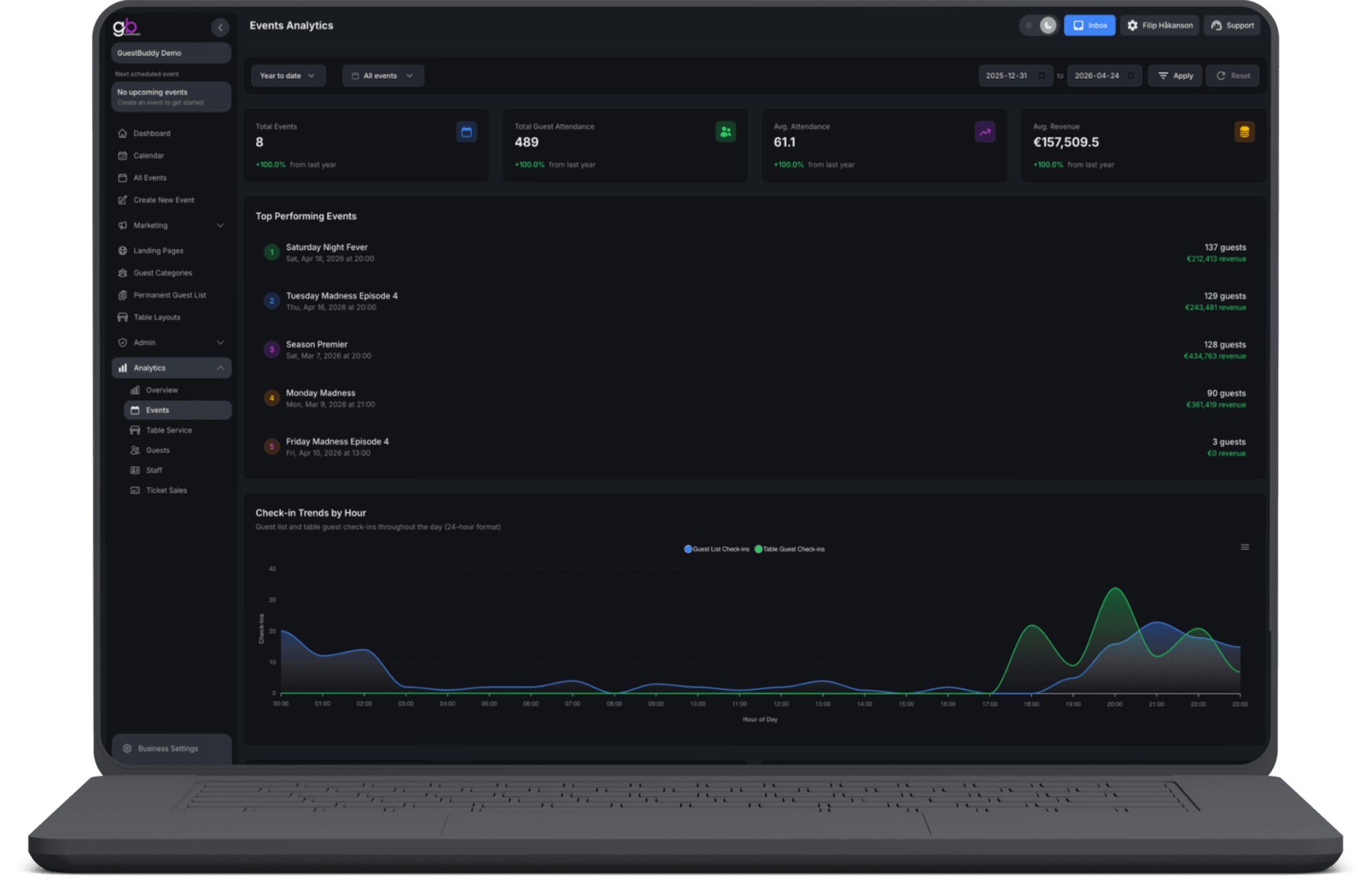
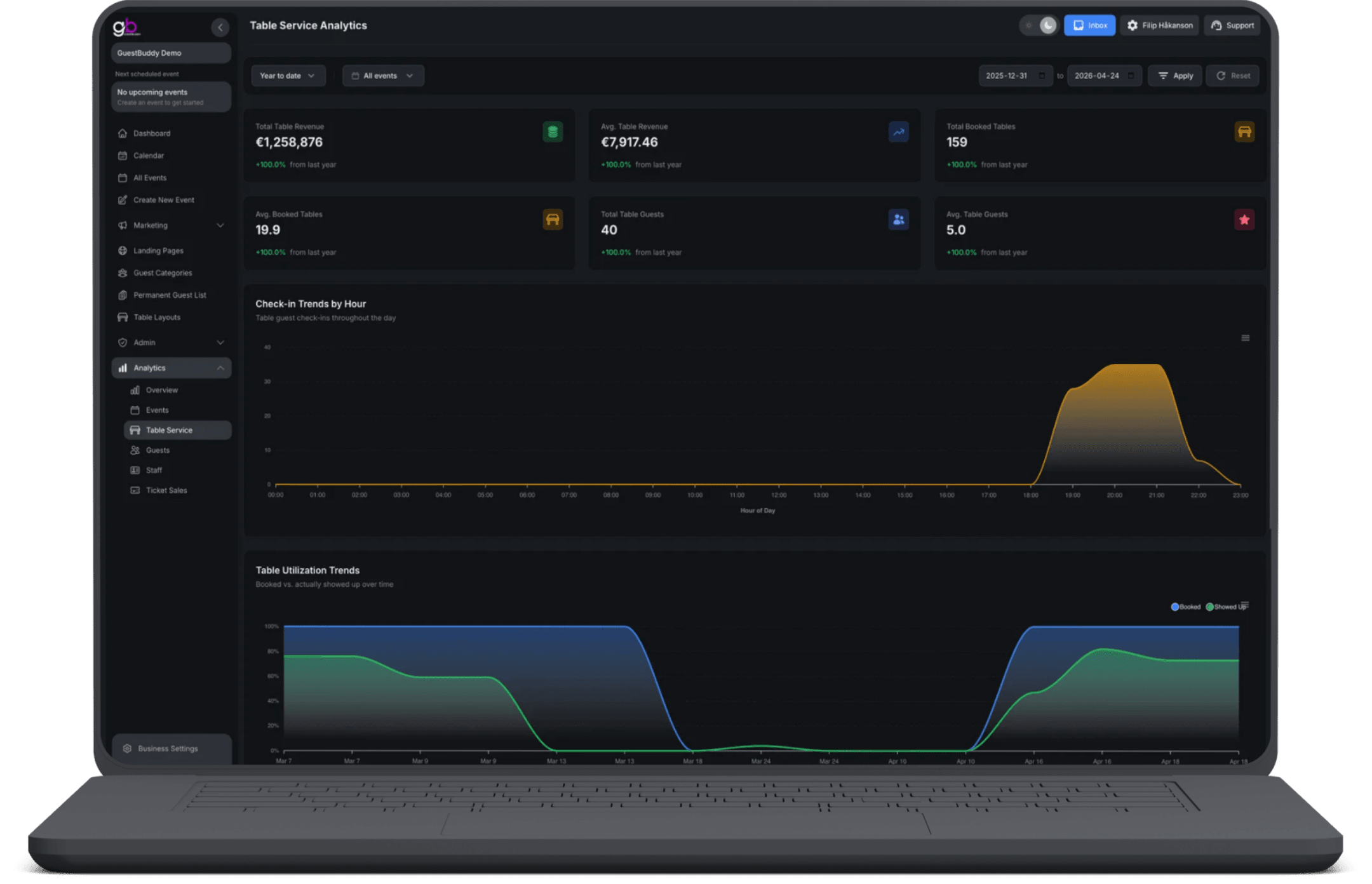
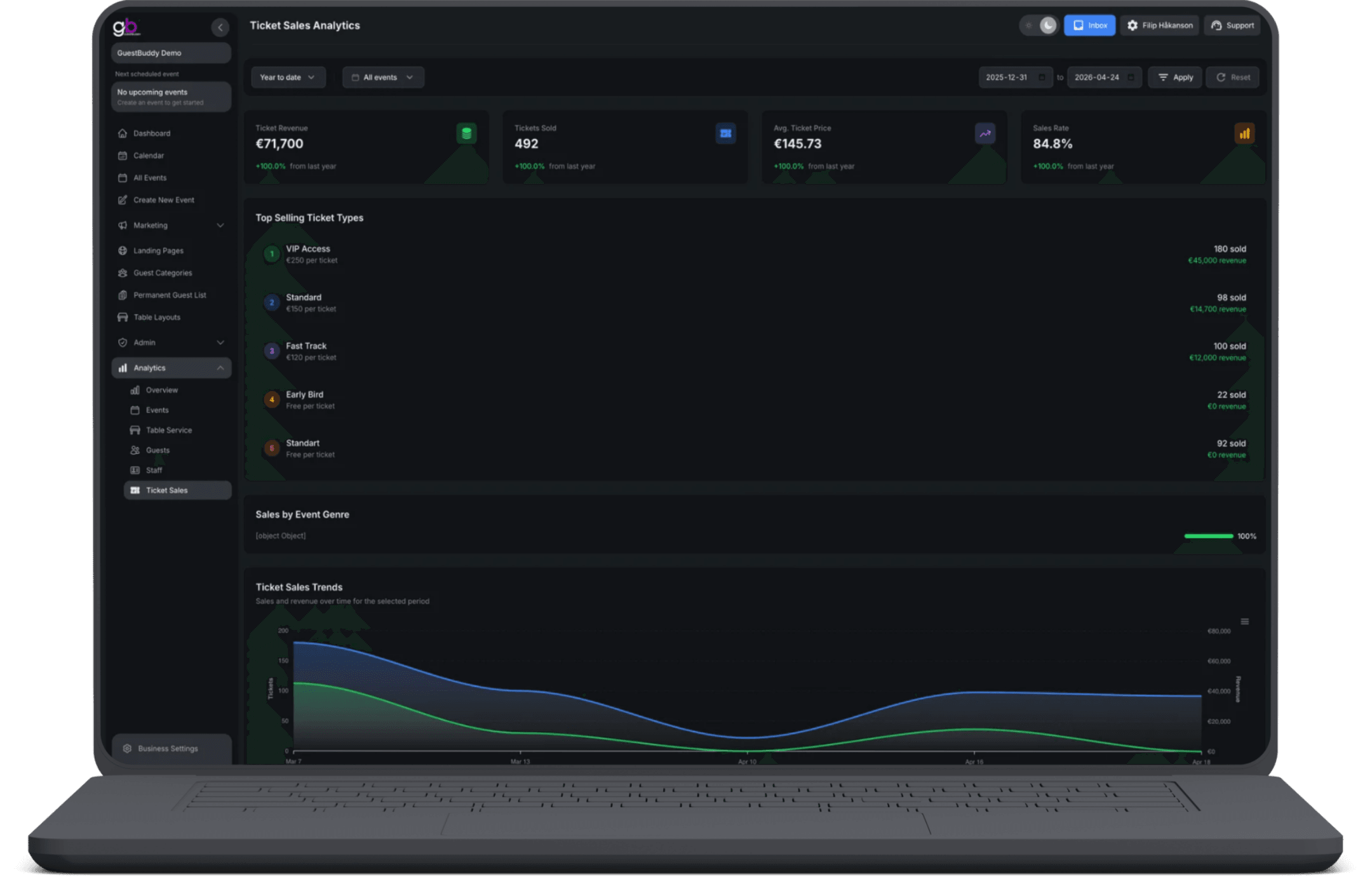
The overview shows total revenue, events, attendance, average guests per event, table revenue and floor use, guest-list conversion, free versus paying, and age ranges. Drill into events (attendance, revenue, check-in timing), ticket sales (revenue, types, genres, sales over time), guests (totals, conversion, and a full guest profile with spend, club cards, genres, and campaign messages), table service (booked versus who showed up, top staff, highest spenders), and staff (compare up to four people, top sellers, guest-list activity, export). Most screens filter by date range; many can narrow to one event.
One overview
Total revenue, events, attendance, table use, guest-list conversion, free versus paying, and age—then drill into the report you need.
A guest is a history
Open a profile with events attended, table and ticket spend, club cards, genres they visit, and which campaign messages they received.
Ticket sales clarity
See ticket revenue, tickets sold, average price, best-selling types, sales by event genre, and sales over time.
Staff side by side
Group staff by role, compare up to four people on the same dates, and open a page per person with tables, revenue, and guest-list activity.
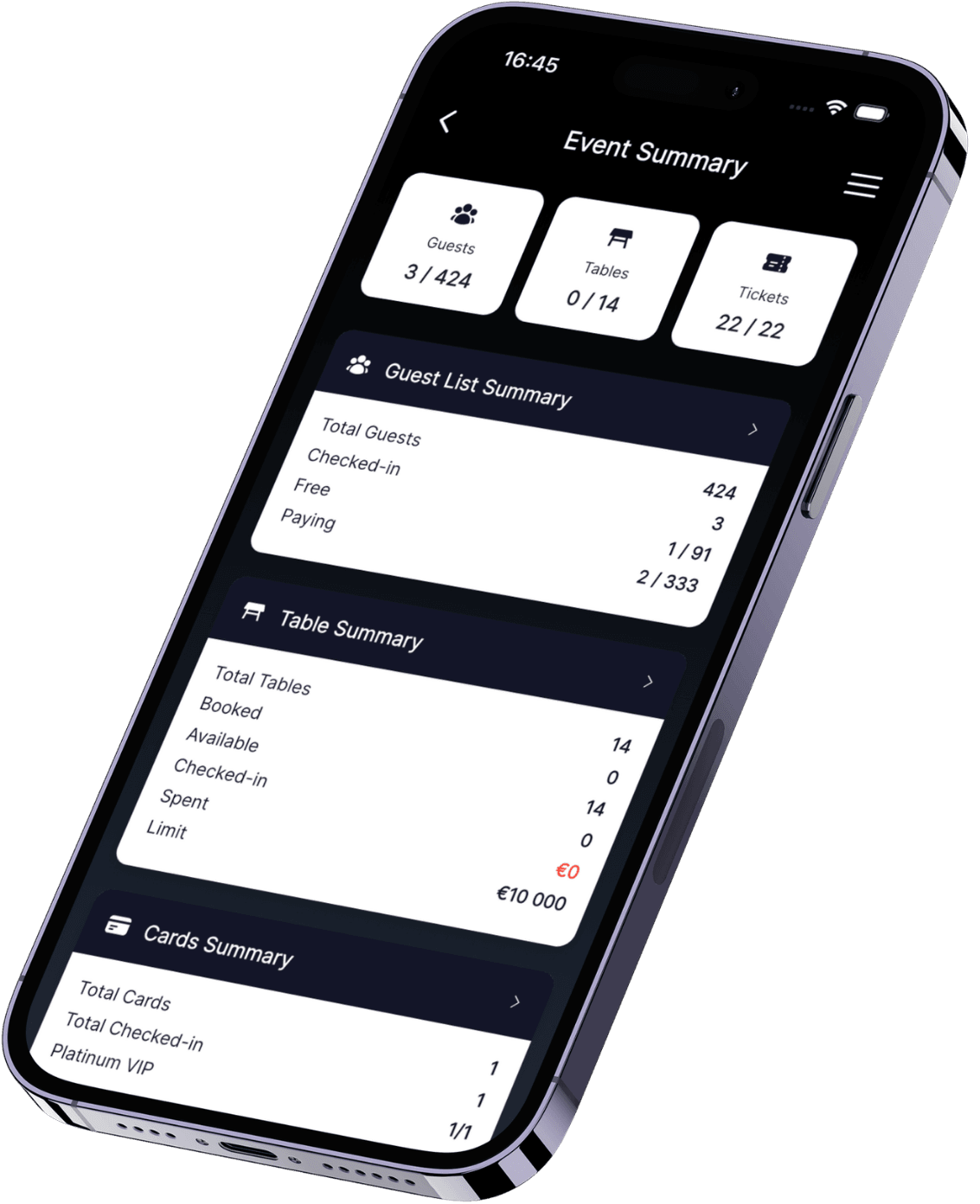
In the app, your team gets a fast live overview of how each event is performing. Check key metrics on the go, see whether the event is on track against the goals you set, and spot where you need to act immediately—so decisions during the event are based on actual performance, not guesswork.


Booked vs showed up
Table reports separate what was reserved from who actually sat—so empty bookings stop looking like full houses.
Events & check-ins
See how events performed, when people checked in during the day, free versus paying, age mix, and top events in the period.
Buddy AI
Ask about revenue, guests, events, tickets, tables, or staff in plain language instead of building every report by hand—where Buddy AI is enabled.
Filter by date or event
Most analytics screens filter by a date range, and many can narrow to a single event when you need the detail for one date.
You get an overview plus dedicated views for events, ticket sales, guests, table service, and staff. Most screens filter by date range, and many can be narrowed to one event.
Contact details, events attended, table spend, ticket spend, club cards, genres they visit, spend by event, and which campaign messages they received (email, SMS, push). Staff with permission can update profile details.
Yes. Table service analytics cover revenue, booked tables, table guests, booked versus who actually showed up, check-ins over time, top-selling staff, and the highest spenders.
Yes. Staff are grouped by role. You can compare up to four people on the same dates, see top sellers (tables served, revenue, sales over the table limit), who booked which tables, guest-list activity, a page per person, and export those staff tables.
Buddy AI is a built-in assistant that can answer questions about revenue, guests, events, ticket sales, table use, and staff in plain language—where that assistant is turned on for your product—so you do not always have to build the report by hand.
Get started with GuestBuddy today and discover seamless event management with powerful, efficient tools.